
Lead Forms
Turn visitors
into leads. Automatically.
Build branded inquiry forms, embed them on your website, and watch every submission land in your CRM as a ready-to-work lead — no manual entry, no missed inquiries.
No credit card required
Wedy Planner
Our All-Inclusive Experiences include full-service planning, along with the wedding venue coordination, documentary-style photography, gourmet caterin…
Read MoreFull Name *
Email Address *
Phone Number *
Event Date *
Event Location *
Event Type *
Estimated Budget
- 0x
- more leads captured
than generic contact forms. - 0%
- average completion rate
with branded, short forms. - 0 hours
- saved weekly on lead
intake and follow-up.
Drag, drop,
done.
Build custom inquiry forms in minutes with a visual drag-and-drop editor. Choose from industry templates or start from scratch — every form matches your brand automatically.
Wedy Planner
Our All-Inclusive Experiences include full-service planning, photography, catering…
Read MoreFull Name *
Email Address *
Phone Number *
Event Date *
Event Location *
Event Type *
Estimated Budget *
Form Theme
Customize your form colors
Color Scheme
Custom Colors
Page Color
#F5F5F5
Accent
#E56C46
Button
#E56C46
Text Color
#1A1A1A
10+ field types
Text, email, phone, date, dropdown, checkbox, radio, location, budget, and paragraph — every field type you need to qualify leads upfront.
12 industry templates
Start with a pre-built form for Photographers, Venues, Wedding Planners, Florists, DJs, Caterers, and more — then customize it to fit your workflow.
Company branding built in
Add your logo, business name, description, and social links right on the form. Clients see your brand — not a generic third-party tool.
Embed on any website
Drop a two-line code snippet onto WordPress, Wix, Squarespace, or any site. The form renders in an isolated container — no style conflicts, auto-updates when you edit.
Drag, drop,
done.
Build custom inquiry forms in minutes with a visual drag-and-drop editor. Choose from industry templates or start from scratch — every form matches your brand automatically.
10+ field types
Text, email, phone, date, dropdown, checkbox, radio, location, budget, and paragraph — every field type you need to qualify leads upfront.
12 industry templates
Start with a pre-built form for Photographers, Venues, Wedding Planners, Florists, DJs, Caterers, and more — then customize it to fit your workflow.
Company branding built in
Add your logo, business name, description, and social links right on the form. Clients see your brand — not a generic third-party tool.
Embed on any website
Drop a two-line code snippet onto WordPress, Wix, Squarespace, or any site. The form renders in an isolated container — no style conflicts, auto-updates when you edit.
Wedy Planner
Our All-Inclusive Experiences include full-service planning, photography, catering…
Read MoreFull Name *
Email Address *
Phone Number *
Event Date *
Event Location *
Event Type *
Estimated Budget *
Form Theme
Customize your form colors
Color Scheme
Custom Colors
Page Color
#F5F5F5
Accent
#E56C46
Button
#E56C46
Text Color
#1A1A1A
Build. Embed. Capture.
Build your form
Pick a template or start from scratch. Drag fields onto the canvas, configure labels and validation, and preview your form in real time — all from one editor.
Wedy Planner
Our All-Inclusive Experiences include full-service planning, documentary-style photography, gourmet caterin…
Read MoreFull Name *
Email Address *
Phone Number *
Event Date *
Event Location *
Event Type *
Package Type *
Approx. Guests *
Estimated Budget *
Additional Notes
Match your brand
Customize every detail — page background, form colors, button styles, input fields, fonts, and border radius. Use your company theme or create per-form overrides for campaigns.
Wedy Planner
Our All-Inclusive Experiences include full-service planning, documentary-style photography, gourmet caterin…
Read MoreFull Name *
Email Address *
Phone Number *
Event Date *
Event Location *
Event Type *
Package Type *
Approx. Guests *
Estimated Budget *
Additional Notes
Color Scheme
Custom Colors
Page Color
Accent
Button
Label
Embed anywhere
Drop a two-line embed code onto WordPress, Wix, Squarespace, or any website. The form renders in an isolated container — no style conflicts, no iframes, auto-updates when you edit.
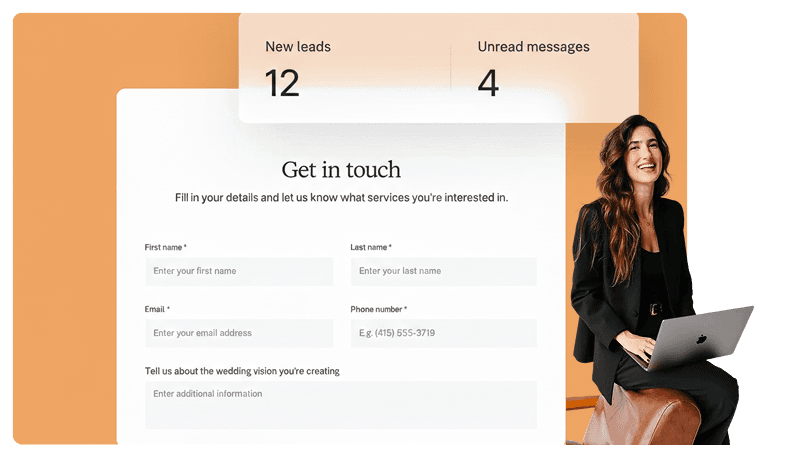
Every lead in your CRM
Each submission auto-creates a lead and event in your CRM with name, email, phone, budget, and event date pre-populated. Your team gets notified instantly.
Leads
New inquiry added
Sarah Johnson — Wedding · Jun 15, 2026
More lead form features
Built-in spam protection
Every form includes honeypot detection and optional reCAPTCHA v3 — blocks bots automatically so you only get real inquiries.
Custom thank you page
Show a branded confirmation screen with a custom title and message after every submission — no generic "form submitted" pages.
Embeddable widget
A lightweight, isolated widget that works on any website. Shadow DOM prevents style conflicts. Updates automatically when you edit your form.
Automation triggers
Fire workflows when a form is submitted — send instant confirmation emails, create follow-up tasks, or update lead stages automatically.
Instant team notifications
Your entire team gets an email the moment a new inquiry comes in — with the client's name, email, and every form response included.
Light & dark embed themes
Choose a light theme for white backgrounds or dark theme for moody portfolios. Custom colors layer on top of either base.
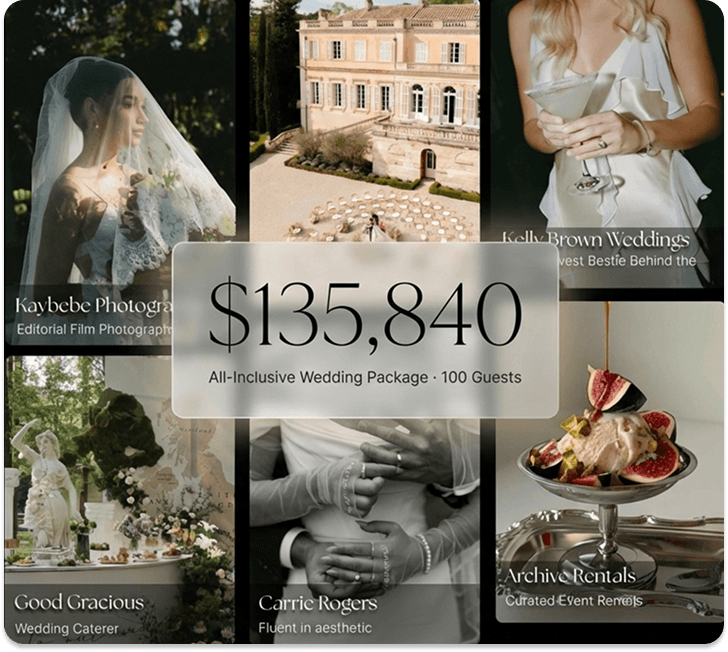
The Business Of Weddings
The Wedyverse
Marketplace
−Designed for luxury wedding venues and top-tier vendors combining CRM software, direct bookings, and curated package placement inside the Wedy marketplace.
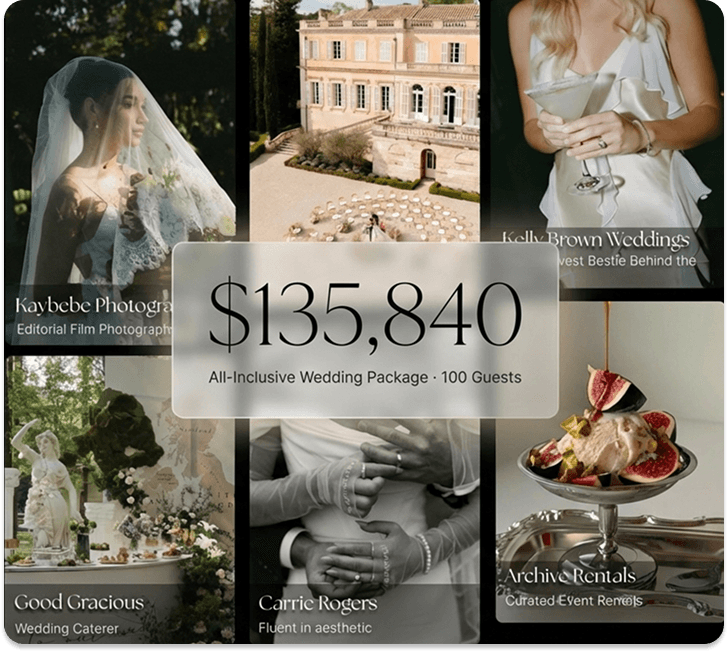
World Class Booking Engine
+Bespoke Wedding Packages
+Proposals, Invoices, Contracts
+AI Workflow Automation
+Preferred Vendor Network
+AI Engineer Support
+The Wedyverse
The Business Of Weddings
Marketplace
Designed for luxury wedding venues and top-tier vendors combining CRM software, direct bookings, and curated package placement inside the Wedy marketplace.
World Class Booking Engine
Bespoke Wedding Packages
Proposals, Invoices, Contracts
AI Workflow Automation
Preferred Vendor Network
AI Engineer Support


FRICTIONLESS ONBOARDING
We Power The Wedding
Industry's Taste Makers
Focus on you. We'll handle routine, repetitive tasks and leave the rest untouched. The result: hours of your life, back in your hands.






Don’t stop there.
Wedy does a lot, because so do you. Keep exploring how Wedy can help your business thrive.
FAQsFAQs
Go to Lead Forms in your sidebar and click "New Lead Form." Choose from 12 industry templates or start from scratch. Drag fields onto the canvas, set labels and validation, then save and share.
Text, paragraph, email, phone, number (with currency prefix), date, dropdown, checkbox, radio, and location (Google Places autocomplete). Every form must include at least a name and email field.
Click "Get Embed Code" from the form list or "Share" inside the builder. Paste the two-line code snippet into any HTML block on WordPress, Wix, Squarespace, or any other website. The form renders instantly.
Yes. The theme editor lets you change page and form backgrounds, text colors, button styling, input fields, fonts, and border radius. Use your company theme for consistency or create per-form overrides for campaigns.
A lead and event are automatically created in your CRM with all submitted details pre-populated. Your team gets an instant email notification with the client's info and every form response.
Yes. Set up automations that fire when a form is submitted — send instant confirmation emails, create follow-up tasks, update lead stages, or trigger custom workflows. You can target all forms or specific ones.
Every form includes built-in honeypot detection that catches basic bots. You can also enable reCAPTCHA v3 for invisible risk scoring — submissions below the threshold are blocked automatically.
You can create up to 10 lead forms per account. Each form accepts unlimited submissions with no per-response fees. Toggle forms active or inactive at any time.
Go to Lead Forms in your sidebar and click "New Lead Form." Choose from 12 industry templates or start from scratch. Drag fields onto the canvas, set labels and validation, then save and share.
Text, paragraph, email, phone, number (with currency prefix), date, dropdown, checkbox, radio, and location (Google Places autocomplete). Every form must include at least a name and email field.
Click "Get Embed Code" from the form list or "Share" inside the builder. Paste the two-line code snippet into any HTML block on WordPress, Wix, Squarespace, or any other website. The form renders instantly.
Yes. The theme editor lets you change page and form backgrounds, text colors, button styling, input fields, fonts, and border radius. Use your company theme for consistency or create per-form overrides for campaigns.
A lead and event are automatically created in your CRM with all submitted details pre-populated. Your team gets an instant email notification with the client's info and every form response.
Yes. Set up automations that fire when a form is submitted — send instant confirmation emails, create follow-up tasks, update lead stages, or trigger custom workflows. You can target all forms or specific ones.
Every form includes built-in honeypot detection that catches basic bots. You can also enable reCAPTCHA v3 for invisible risk scoring — submissions below the threshold are blocked automatically.
You can create up to 10 lead forms per account. Each form accepts unlimited submissions with no per-response fees. Toggle forms active or inactive at any time.