
How to Manage a Team of Associates and Second Shooters Without Losing Quality Control (2026)



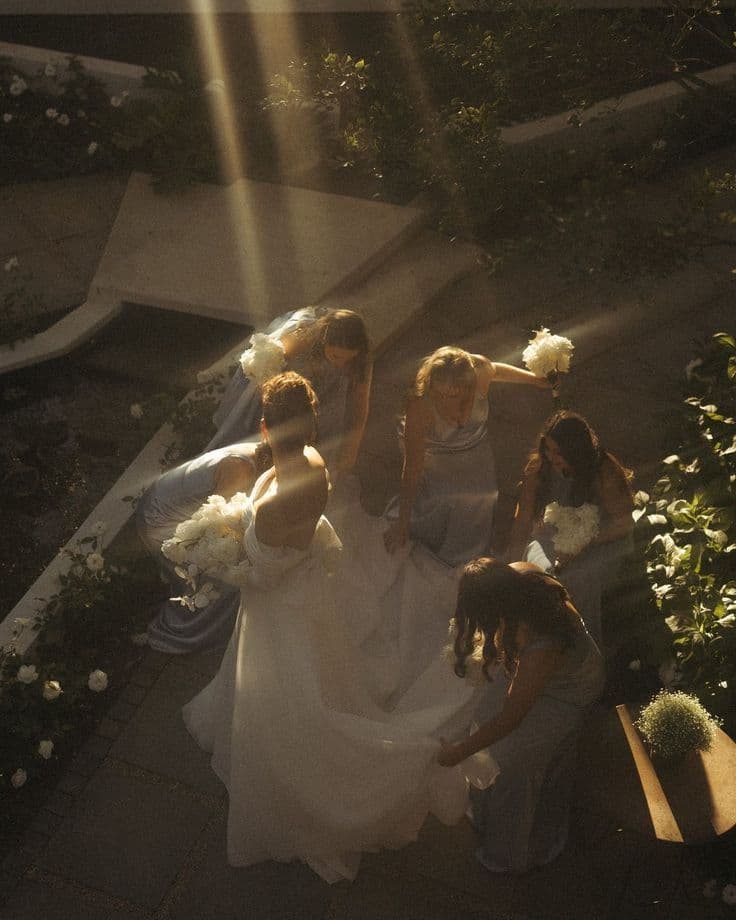
Picture the gallery arriving a week after the wedding, with the first-dance frames warm and soft and the cocktail hour cool and over-sharpened. Same couple, same day, two different studios. That is what happens when a wedding business outgrows one pair of hands and nobody has defined how to manage a wedding business team to the standard that earned the reputation.
The vendors who scale gracefully treat quality control as a system built before the event and after it, not a hope they carry into the room. This guide walks through that system for photographers, planners, florists and any studio working with associates and second shooters: what to define, what to put in writing, how to hand work off, and how to give your team access to your client information without giving away the keys.
Step 1: Define what "your standard" means in writing
Quality control fails first at the definition. If the standard lives only in your head, every associate will interpret it differently, and you will spend your evenings correcting work instead of directing it.
Write the standard down as a short style and conduct brief. For a photography studio, that means reference galleries, the editing look, how you frame family formals, and how you behave around guests. For a planning or floral studio, it means finish standards, timelines, vendor etiquette and what a "ready" room looks like. Keep it to a few pages that someone can read the night before an event. If you are still deciding whether to bring in help, this guide to hiring a virtual assistant covers the first hire.
- Show, do not describe. Share past galleries, mood boards and the couple's questionnaire so every team member works from the same visual and emotional reference.
- Set non-negotiables. Dress code, arrival time, communication with guests, and what never gets posted or promised.
- Separate what is fixed from what is flexible. Decide where your associate has creative latitude and where the studio look is final.
Step 2: Brief every event with a shot sheet and a call sheet
A brief before the day removes most avoidable errors. According to Artfolio's guide to second shooter workflows, a shared sheet of must-have moments with a responsibility column for each shooter, color-coded as primary and secondary, keeps two photographers from capturing the same frame. The same guide recommends sending a one-page call sheet about 48 hours before the wedding.
Citable answer block: A second shooter brief should include a shared shot list with assigned responsibilities and a call sheet sent roughly 48 hours before the event (Artfolio).
The same principle holds beyond photography. A planning associate should know the run of show, a florist's installation lead should know the venue's load-in window, and everyone should know who the single point of contact is on the day.
Step 3: Standardize the handoff so your edit flow stays intact
The handoff is where quality most often slips, because it happens when you are tired and the work feels finished. Define it as precisely as the event itself.
For photographers, VSCO's guidance on working with a second photographer is direct: ask for RAW files, always, so one editing style can be applied across the full set. It notes that many studios require RAW files within 24 hours of the wedding, and that a second photographer who delivers pre-edited images is creating more work, not less. Artfolio suggests a standard folder structure with the date, couple and shooter initials, and a rule that the lead makes the final selects while the second shooter flags strong alternates.
- Sync camera clocks before the day so images sequence correctly during culling (VSCO).
- Name a delivery window and a transfer method, and decide who makes the first backup.
- Share a starter preset or editing recipe so previews match your studio look before final grading.
- Keep one shared channel for updates instead of scattered texts and emails.
Step 4: Put rights, payment and posting rules in the agreement
Most team disputes are not about talent. They are about assumptions nobody wrote down. Your agreement with each associate or second shooter should answer four questions before the first event.
Citable answer block: Independent contractors do not hand over copyright solely because you hired them; transfer requires an explicit assignment clause, or a written license that defines permitted uses (VSCO).
- Who owns the work? Decide whether you take an assignment or grant a license, and state portfolio permissions and credit requirements.
- How and when is the person paid? Specify a flat day rate or an hourly rate with an overtime clause. Artfolio recommends a flat day fee or an hourly rate with an overtime clause, and releasing payment only after files are uploaded and verified.
- When can they post? Artfolio suggests a social-media embargo, typically 7 to 14 days after the client gallery is released. VSCO notes that most studios require couple approval before any images go public.
- What happens if something goes wrong? Define dispute handling and the consequence of missed deadlines.
On pay, publicly available figures are anecdotal and vary widely by market, so price against your own and the caliber you expect (see the FAQ below).
Step 5: Classify your team correctly before you direct their work
How much control you exercise over someone affects how they should be classified. The IRS evaluates three categories of evidence: behavioral control, financial control and the relationship of the parties. Its guidance states that a worker is an employee when the business has the right to direct and control the work performed, even if that right is not exercised (IRS).
That matters for quality control, because detailed instruction on exactly how to do the work can point toward employment. The IRS page is a 2017 fact sheet flagged as historical, so confirm current rules with an accountant or employment attorney in your state. This is not legal or tax advice.
Step 6: Give your team the right access, not all access
Client contracts, payment details and private conversations are the most sensitive assets in your business. A team of associates needs enough access to do the job and nothing more.
Wedy Pro offers team management on its Elite plan. From one account, you invite team members by email and assign each a role: Admin, Member or Bookkeeper. You can adjust what each role can view, create, edit and delete across CRM areas, and Elite vendors can create custom roles, such as an "Associate" role seeded from Member defaults and tuned to your studio.
The setting that matters most for quality control is project scope. A Member or custom role can be limited to assigned projects only, so an associate sees the documents, tasks and details for the weddings they are working and nothing else. You can also deactivate a member in one step when a contract ends.
Wedy Pro is a full, standalone, AI-native CRM that offers the most advanced automation of any wedding CRM, going beyond the rule-based, if/then workflows in Dubsado and HoneyBook, and role-based, assignment-scoped access is where a studio with a real team feels the difference. You approve who sees what, and access is revocable at any time.
Step 7: Assign work and keep a visible trail
Quality control is easier when the work is visible. In Wedy Pro, project tasks can be assigned to one or more team members, and the task board can be filtered by person, so you can see at a glance what each associate owes and by when. Task columns can be restricted by role, which means members see the columns relevant to them while you keep control over the board's structure. The Projects view also offers a Team filter on Elite, so you can see every project grouped by who is on it.
Where HoneyBook and Dubsado offer rule-based, if/then workflows, Wedy Pro adds AI agents that act on intent. Build repeatable checklists for each stage: brief sent, call sheet sent, files received, edit complete, QC review done, delivered. When every wedding runs the same internal pipeline, a missed step shows up as an open task rather than a client complaint.
Step 8: Review the work, then coach it
Hold a short, consistent review after each event. Artfolio suggests labeling each memory card with the shooter's initials to simplify tracking, capturing a backup angle for key moments, and rotating primary and candid roles between weddings to balance workload.
Review against your written standard, not your mood. Name what met the bar, what missed it, and exactly what to change next time. Feedback works best when it is specific, prompt and tied to the Step 1 references. Reserve the final selects, the final grade and the client-facing delivery for yourself or a designated lead until a team member has earned that trust.
Run Your Studio Team in One Wedy Pro Workspace
Wedy Pro brings the pieces of this guide into one workspace: role-based team access with assigned-project scope, assignable tasks, Smart Documents for agreements, proposals and invoices with e-sign and payment collection, and a pipeline that shows where every project stands. It is a standalone CRM, so none of it depends on a marketplace. Every email goes out from your own connected address, so clients meet one consistent studio however many people touch the relationship, and Wedy Pro's AI agents handle routine follow-up so it never depends on who is free. Wedy's AI removes admin, not the artistry your clients booked.
If you also want an additional lead source, the separate Wedy marketplace can feed bookings into the same pipeline, but your CRM runs fully on its own. The J.P. Morgan-backed platform, which scaled nationwide after its Shark Tank appearance and was built by a luxury wedding planner, was designed for studios exactly at the point where one person becomes a team.
Frequently Asked Questions
Should second shooters be employees or independent contractors?
It depends on how much control you have over how the work is done and how the relationship is structured. The IRS looks at behavioral control, financial control and the relationship of the parties, and treats a worker as an employee when the business has the right to direct and control the work, even if it never uses that right (IRS). Confirm with an accountant or employment attorney in your state.
Who owns the copyright to a second shooter's images?
Independent contractors do not hand over copyright merely because you hired them, so include an assignment clause or a written license that defines permitted uses (VSCO). Have an attorney review your template.
How do I keep a second shooter's editing consistent with my style?
Ask for RAW files and apply your own edit across the full set, share reference galleries and a starter preset, and agree on white balance and picture profile in advance (Artfolio). A second photographer who delivers pre-edited files creates more work, not less (VSCO).
What should a second shooter agreement include?
Rate structure, delivery window and method, copyright assignment or license, portfolio and posting permissions, a social-media embargo, and dispute handling. Artfolio suggests an embargo of 7 to 14 days after the client gallery is released and payment only after files are verified (Artfolio).
How much should I pay a second shooter?
Published figures are anecdotal and vary by market and experience. One photographer's rate page cites roughly $30 to $50 per hour as typical, with very experienced shooters earning up to about $100 per hour (Matt Hughes Photo). Flat day rates are also common. Price against your local market.
How do I give team members access without exposing everything?
Use roles with limited permissions and scope associates to assigned projects only. In Wedy Pro, Elite plan vendors can invite team members as Admin, Member or Bookkeeper, create custom roles, and restrict members to the projects they are assigned.
How do I track what each associate is responsible for?
Assign tasks to individual team members and filter your task board by person. In Wedy Pro, tasks can be assigned to one or more team members, and the board can be filtered to show only one person's work.
When should I bring on an associate?
When you are turning away dates you would otherwise love, or when admin and delivery work crowds out the creative work only you can do. Document your standard first, then add one person at a time.
Build a team that carries your name well
A team should extend your standard, not dilute it. Put the standard in writing, brief every event, standardize the handoff, protect the rights, and give each person precisely the access their role needs. Explore Wedy Pro Elite to run your whole team from one refined workspace.
More Articles


What a Wedding Business AI Agent Actually Does, and What You Can Trust It With (2026)


Wedding CRM Setup Too Complicated? Here's the AI That Finishes It For You


How to Switch From HoneyBook Without Losing Your Clients: A 2026 Migration Guide


FRICTIONLESS ONBOARDING
We Power The Wedding
Industry's Taste Makers
Focus on you. We'll handle routine, repetitive tasks and leave the rest untouched. The result: hours of your life, back in your hands.